Balatro Calculator Mod Guide: Web Calculator or In-Game Preview?
A practical guide for players deciding whether to use a browser calculator, a score-preview mod, or both while keeping saves, updates, and run planning clean.

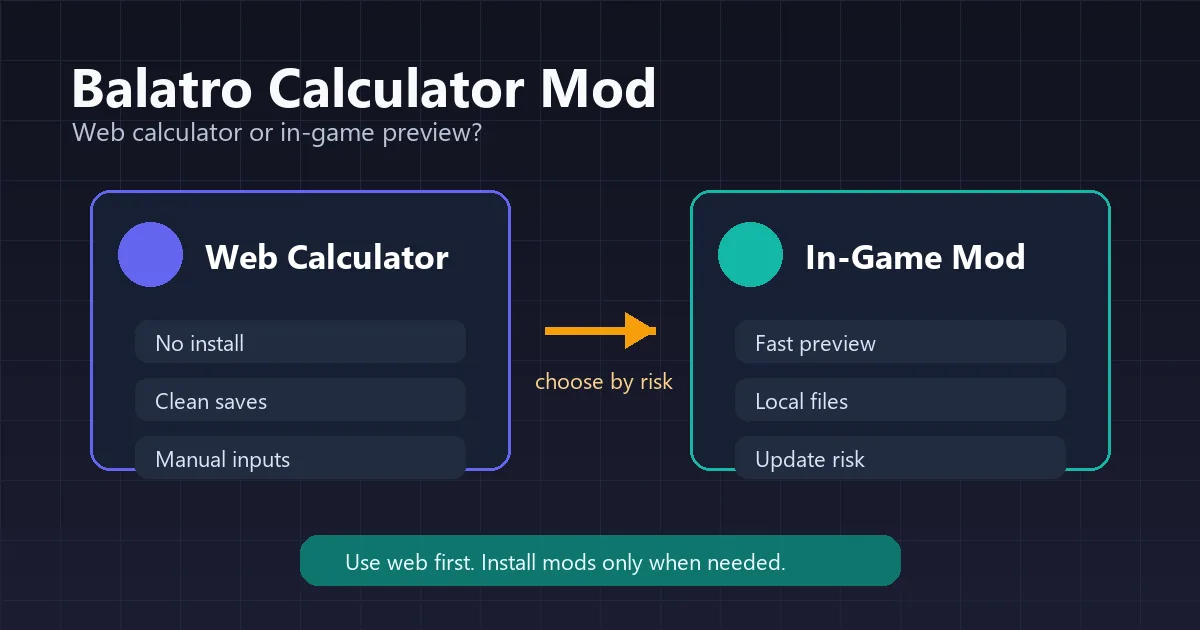
Players search for a Balatro calculator mod when mental math starts slowing down a run. The phrase can mean two different things: a browser calculator that helps you plan outside the game, or a local quality-of-life mod that previews score information in-game. This guide separates those intents so you can choose the right workflow without mixing up safety, convenience, and accuracy.
Quick Answer: Do You Need a Balatro Calculator Mod?
If you only need to check whether a hand clears the next blind, a web Balatro calculator is usually the cleaner choice. It does not touch your game files, works on any device, and is easier to update when you only need chips, Mult, xMult, hand level, and Joker order reasoning.
A calculator mod or score-preview mod is useful when you repeatedly need in-game estimates during long sessions. The tradeoff is maintenance: local mods can break after game updates, conflict with other mods, or make your save environment different from a clean installation.
Best default workflow
Use the browser calculator for learning and close decisions. Consider a local mod only for convenience after you understand what it is changing and how to remove it.
Balatro Web Calculator vs Calculator Mod
A calculator mod for Balatro is useful when you want score feedback inside a run, while a web calculator is better for clean planning and verification. Compare the workflow before changing local game files.
The important SEO distinction is that a Balatro calculator mod is not automatically more accurate than a web calculator. Accuracy depends on how current the tool is, whether special Joker timing is supported, and whether you entered the same assumptions the game is using.
| Option | Best for | Main benefit | Main risk |
|---|---|---|---|
| Web Balatro calculator | Learning, score checks, mobile lookup | No install and easy to verify | You must enter the current hand state manually |
| Score preview mod | Fast in-game estimates | Less tab switching during a run | Can break or conflict after updates |
| Full modded setup | Custom decks, QoL stacks, experiments | Combines planning with other mods | Harder to compare with unmodded runs |
| Manual math | Simple early antes | No tool dependency | Easy to miss copy effects, retriggers, and xMult timing |
What Players Usually Mean by a Calculator Mod
Most players are not looking for a single official calculator mod. They are usually looking for one of several quality-of-life categories: score preview, hand analysis, Joker effect helpers, or a general mod framework that lets those helpers run.
Before installing anything, read the current mod page or repository notes. Balatro mod compatibility can change across versions, and a guide cannot guarantee that a specific third-party mod is safe or maintained at the exact moment you install it.
Score-preview helpers
These aim to show whether the current hand is likely to beat the blind. They save time, but they still depend on the mod supporting your active Jokers, editions, seals, debuffs, and retriggers.
Quality-of-life mod stacks
Some players use broader QoL packages that include previews, faster UI, sorting, or deck information. They are convenient, but each added mod increases the chance of conflicts.
External web calculators
A web calculator stays separate from the game. It is better when you want a clean save, want to compare options on a phone, or want to share a build without asking another player to install anything.
Safe Setup Checklist Before Installing Any Mod
This is not an installation manual for one specific mod. It is a safety checklist that applies before you use any Balatro calculator mod, score preview mod, or QoL mod.
If a mod page tells you to use a loader such as Steamodded or Lovely, follow that project's current instructions rather than an outdated summary. Keep the original source link handy so you can check update notes when Balatro changes.
- Back up important save data before changing local game files.
- Download mods only from the maintainer's official page, repository, or community thread you trust.
- Check that the mod version matches your Balatro version and platform.
- Install one helper at a time, then launch the game and confirm it works before adding more.
- Keep a short note of every file or folder you added so you can remove the mod cleanly.
- For challenge runs, tournaments, streams, or shared leaderboards, confirm the rules before using any preview tool.
A Practical Workflow for Close Blinds
The cleanest score-planning workflow is to separate learning from convenience. Use a transparent calculator when you are unsure why a hand scores a certain way, then use a mod only when it saves repeated lookup time.
For example, if a build uses Blueprint, Brainstorm, Baron, Mime, Red Seals, or Polychrome, start by testing the timing outside the game. Once you know which effect creates the value, a preview mod becomes a convenience layer rather than a black box.
- Check the blind target and estimate whether the hand is close or clearly safe.
- Open the Balatro score calculator and enter hand type, level, chips, +Mult, xMult, and key Joker assumptions.
- Use the Joker calculator or Joker order guide when copy effects or left-to-right timing matter.
- If you use a score preview mod, compare one or two known hands against the web calculator to spot unsupported effects.
- When the result is within a narrow margin, prefer a conservative play or add a safety buffer before committing.
Limits, Compatibility, and Fair Play
Calculator mods can be useful, but they are not neutral in every context. Some players want a pure unmodded run; others are comfortable with quality-of-life previews. The important part is to be clear about the environment you are using.
A web calculator also has limits. It cannot read your save, boss blind debuffs, hidden conditions, or every modded Joker. Treat every estimate as a planning aid, not as a guarantee.
- Game updates: A working calculator mod today may need an update after a Balatro patch.
- Unsupported effects: Rare timing, copied Jokers, modded cards, and debuffs may not be modeled perfectly.
- Save hygiene: Keep backups and know how to return to a clean setup.
- Shared rules: If a challenge or leaderboard has rules about mods, follow those rules first.
Balatro Calculator Mod FAQ
References and useful resources
About the Author
Balatro Calculator Team
The Balatro Calculator Team builds fan-made score and probability tools for players who want to understand scoring interactions before committing to a hand, shop purchase, or modded setup.
Last updated: August 12, 2026